
NEWDYTV Not Working? IPTV Fixes for Login, Freezing and EPG
When NEWDYTV is not working, the cause is usually small and local: a login detail typed with one wrong character, an app that needs a restart, a Wi-Fi connection that can't keep up, or a Smart TV that changed its MAC address. This guide goes through the checks for IPTV not working in the order we'd ask you to try them, from the quickest to the more involved. Start with the first three steps: they cover the most common causes. If none of them helps, the last sections explain when to contact the team on WhatsApp, what to send so we can help quickly, and how the 7-day money-back guarantee works.
Why is my IPTV not working? The NEWDYTV quick checklist
Before going into detail, run through this list. Each line points to a section below:
- The login details are typed exactly as we sent them.
- The server URL is complete, including its port if it has one.
- The app, the device and the router have been restarted.
- The device has a stable connection (wired if possible).
- The app's cache has been cleared, or the app reinstalled.
- No more devices are playing than your plan has connections.
- For a Smart TV app or MAG box: the MAC address we activated is still the one on screen.
- For the TV guide: Install EPG has been tapped.
1. Login refused: check your NEWDYTV details
Apps like IPTV Smarters, Smarters Player Lite and TiviMate log in with Xtream Codes, which uses three details: the server URL, your username and your password. One wrong character in any of them and the app refuses the login.
- Retype by hand. Usernames and passwords are case-sensitive, and pasting from an e-mail can add hidden characters.
- No spaces before or after a detail.
- Check similar characters: a lowercase l and a capital I, a zero and a capital O.
2. The server URL and its port
The server URL is the address the app connects to. Type it exactly as it appears in your NEWDYTV e-mail, from the beginning (such as "http://") to the end. If the address ends with a colon followed by a number, that number is the port, and the app needs it. A missing port, a missing "http://" or an extra slash at the end is enough to stop the channel list from loading.
3. Restart the app, the device and the router
It sounds basic, but a restart clears most cases of an app that worked yesterday and doesn't today. Do it in this order:
- Close the app completely and open it again.
- Restart the device: on a Fire TV Stick, Settings → My Fire TV → Restart, or unplug it for a few seconds; on a Smart TV, switch it off at the plug briefly.
- Restart your router, wait until it's fully back online, then open the app.
IPTV freezing or buffering: wired vs Wi-Fi
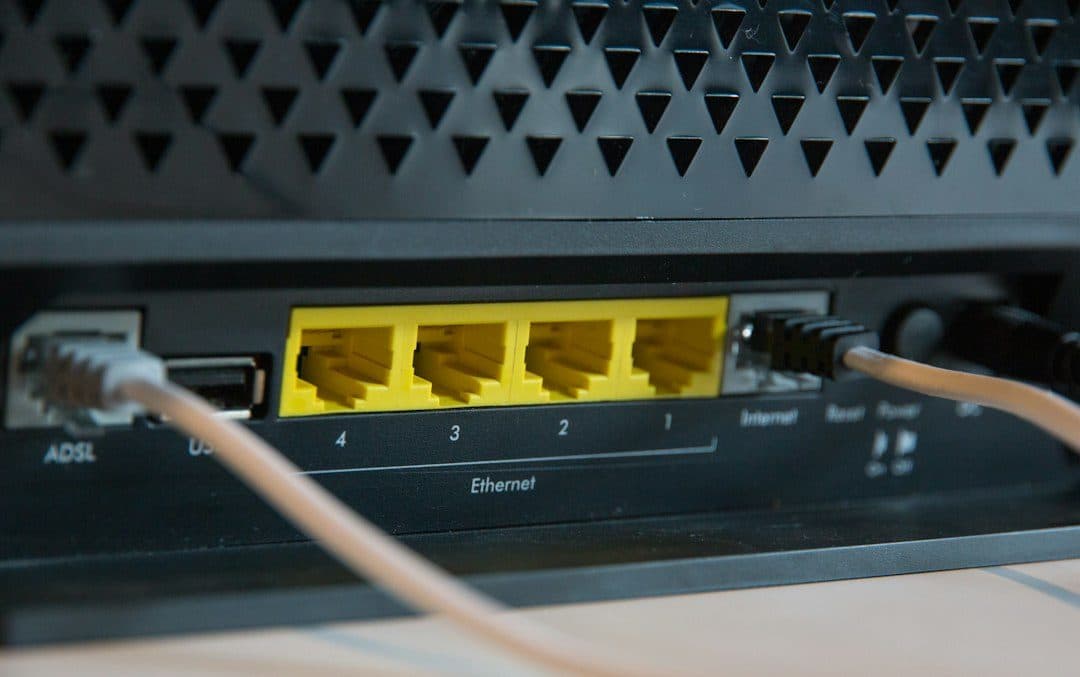
IPTV freezing often comes down to the connection between your device and the router. A wired (Ethernet) connection is usually more stable than Wi-Fi. If your TV or box has an Ethernet port, try a cable, even temporarily, to see whether the freezing stops.
On Wi-Fi, bring the device closer to the router or remove obstacles between them, and check whether other devices at home are downloading or streaming heavily at the same time. Keep in mind that 4K needs more from your connection than HD; if 4K channels freeze while HD ones play smoothly, the connection is the likely limit. Our post on NEWDYTV 4K IPTV explains what 4K playback needs.
If the freezing happens on one channel only, note the channel and the time and tell the team on WhatsApp.
Why does my IPTV keep crashing? Clear the cache or reinstall
When an app keeps closing on its own or gets stuck on a loading screen, its stored data may be the problem.
- Clear the cache. On a Fire TV Stick or Android device, go to Settings → Applications (or Apps) → the app → Clear cache. This keeps your login.
- Reinstall the app. If clearing the cache doesn't help, uninstall the app and install it again from the same source: your TV's app store, the developer's own site, or the link the team sent you. You'll need to enter your NEWDYTV login details again.
- Update the device. An out-of-date system can make apps unstable.
On a Fire TV Stick, reinstalling IPTV Smarters means going through Downloader again; our NEWDYTV on Firestick guide has every step.
Too many devices on one NEWDYTV connection
Each connection streams on one device at a time. If someone at home is already watching on another device, a second stream on the same connection can be refused or cut off. You can install the app on as many devices as you like, but the number of connections on your plan sets how many play at once. Plans come with 1 to 4 connections; need more than four? Ask the team on WhatsApp. The options are on the subscription page.
Your login details are personal: our terms of service don't allow sharing them outside your plan.
Smart TV app or MAG box after a MAC change
Smart TV apps (IBO Player Pro, IBO Player, SetIPTV, NetIPTV) and MAG boxes are activated by the team from the device's MAC address, not with a typed login. If the app shows nothing after a reset, a reinstall or a move to another TV, the MAC address on screen may no longer match the one we activated.
Open the app, note the MAC address it shows now (and the device key, for IBO Player Pro and IBO Player), and send it to the NEWDYTV team on WhatsApp. After a few minutes, restart the TV and open the app again. Check the address character by character before sending it.
Missing TV guide: tap Install EPG
In IPTV Smarters, the TV guide needs no URL: tap Install EPG and the app loads it. In other apps, look for the EPG or TV guide option in the settings. If the guide is there but some channels show no program information, tell the team which ones.
Login e-mail not received
We send your login details by e-mail in less than 30 minutes after payment. If nothing has arrived:
- Check your spam, junk and promotions folders, and search your inbox for the order.
- Make sure the e-mail address you used for the order has no typo.
- Still nothing? Message the team on WhatsApp with the e-mail address you used for the order.
When to contact NEWDYTV support, and what to send
If the checklist didn't solve it, message the team on WhatsApp, 24/7. To get a fix quickly, send:
- Your device, such as a Fire TV Stick, a Samsung or LG TV, an Android box or a MAG box.
- The app you use, such as IPTV Smarters, TiviMate or IBO Player Pro.
- A screenshot or photo of the error on screen.
- What you already tried from this list.
- The e-mail address you used for the order.
Never send your password in a screenshot or message, and never post your login details in a public forum.
The 7-day refund if it can't be solved
If the service still isn't the right fit after you've tried to solve the problem with our support team, NEWDYTV offers a full refund within 7 days of your purchase. Write to us on WhatsApp within those 7 days, give the e-mail address you used for the order and include your invoice number. After 7 days, the team still helps you fix any problem on WhatsApp. The full terms are on the refund policy page.
NEWDYTV not working FAQ
What to do if IPTV is not working?
Check the login details, the server URL and its port, then restart the app, the device and the router. If it still doesn't work, clear the app's cache and check that no more devices are playing than your plan allows.
Why is IPTV not working on my Firestick?
Most often it's a mistyped login, an app that needs a restart, or a Wi-Fi signal that's too weak where the stick sits. Restart the stick from Settings → My Fire TV → Restart, check the three login details, and clear the app's cache.
How to fix IPTV not loading?
If the channel list stays empty, wait a few seconds for the first load, then close and reopen the app. Still empty? Check the server URL, including the port, and the username and password.
Is IPTV down?
Usually the problem is local. Check whether other apps and websites work on the same device; if they do, run the checklist above, then ask the NEWDYTV team on WhatsApp whether there's a known issue.
Why does my IPTV keep crashing?
Clear the app's cache, update the device, and reinstall the app from its original source if the crashes continue.
Get NEWDYTV working again
When NEWDYTV is not working, start with the login details and the server URL, restart everything, and then move to the connection, the cache, the number of devices and the MAC address. Most IPTV not working cases end there; if yours doesn't, the team is on WhatsApp 24/7. New here? Compare the plans on the subscription page or read how to try NEWDYTV.
Want to try NEWDYTV?
Ask the team on WhatsApp whether a test line is available for your device, or start with the 1-month plan at $19.99: every order comes with a full refund within 7 days, after you have tried to solve the problem with our support team.
More NEWDYTV IPTV guides
NEWDYTV 4K IPTV: What You Need to Watch in 4K
NEWDYTV 4K IPTV explained: which quality levels you get, what your TV, device and connection need for 4K, and why a stream can drop to HD.
Read the article
NEWDYTV on Firestick: Install IPTV Smarters Step by Step
How to set up NEWDYTV IPTV on Firestick: install IPTV Smarters with Downloader, log in with Xtream Codes, add the TV guide or use TiviMate instead.
Read the article
NEWDYTV IPTV Price: How Much Does IPTV Cost?
NEWDYTV IPTV cost explained: all 16 plan prices from $19.99, the price per month, what changes it, how to pay and the 7-day money-back guarantee.
Read the article